Getting a Grip on GRC — Part 4 of 5
Putting it on paper
Part 4 of a five-part practical series for smaller organizations and the consultants who serve them.
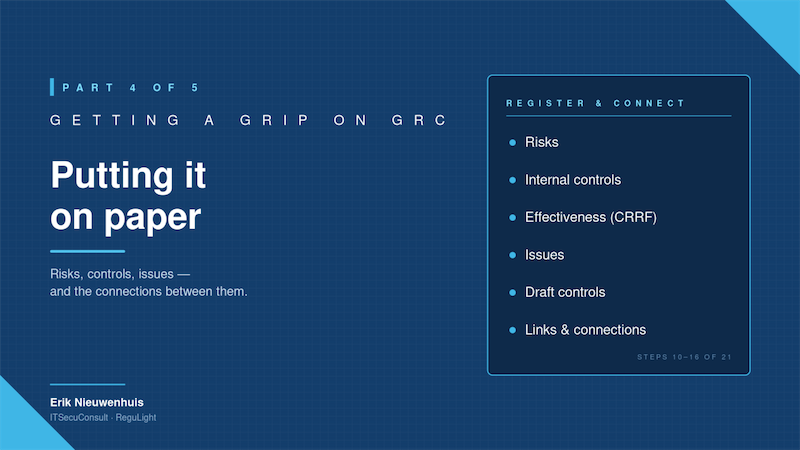
The challenge: thinking is not the same as registering
By the end of Part 3 you have a remarkable amount of useful material. You know what you protect. You know what could go wrong. You know what is already in place and where the gaps are. In a smaller organization that alone puts you well ahead of where most companies sit.
And then it stalls. The whole picture lives in someone's head, in a few half-finished documents, in a meeting that everyone agreed was useful, and in the personal conviction of the security officer that "we have a handle on it now."
But that isn't GRC yet. GRC starts the moment you register what you know in a way that:
- You can re-read in three months and still understand
- You can show a board, an auditor or a new colleague
- You can update without rewriting from scratch
- The system can reason about (likelihood × impact, control effectiveness, residual risk)
Step four of a serious program is the move from thinking to registering. It is also, in my experience, the step where smaller organizations most often quietly give up; because spreadsheets don't do connections well, document folders don't do calculations, and enterprise GRC platforms are too heavy.
This is the article where order matters most. Done in the right order, registration is straightforward and motivating. Done in the wrong order, you create a mess you will have to undo.
Step 10 — Register the risks
Start with the risks you formulated in Part 2. Each risk gets a name, an owner, a likelihood, an impact, and a description that a non-specialist can read. Aim for ten to thirty entries. Keep the language plain and consequence-oriented. "Inability to recover from ransomware within an acceptable timeframe due to inadequate backup testing" is a good risk. "Backup issues" is not.
You are not yet doing controls. Register the risks first. The reason is psychological and practical: once controls are in the picture, people start adjusting risk descriptions to make their controls look good. Lock the risk picture before you start mitigating it on paper.
Step 11 — Register the existing measures as Internal Controls
Now go through everything you found in Part 3 that is already in place and register each as an internal control. Firewalls, MFA, backup jobs, awareness training, the leavers process, each is a control. Give each control a clear name, an owner, and a short description of what it actually does.
Smaller organizations are often surprised by how many controls they already have once they start writing them down. That is good news. It also turns the next step - rating effectiveness - into something concrete instead of abstract.
Step 12 — Rate effectiveness honestly
For each control, set its optimal effectiveness: how good would this control be if everything around it was working perfectly? In ReguLight this is the CRRF — the Control Risk Reduction Factor. It is the single most important piece of honesty in the whole exercise.
A few rules of thumb:
- An MFA implementation that exempts three admin accounts is not 95% effective. It is 70%. The exemptions are exactly where the threat lives.
- An awareness training that runs once a year and is never measured for completion is not 80% effective. It is 40%.
- A backup that has never been restored is, on paper, 50%. In practice you have no idea.
Rate the optimal effectiveness honestly with the IT staff in the room. The numbers are inputs to a calculation, not the final score. The actual residual risk picture will use your ratings together with operational signals like overdue tasks, open issues and recent incidents, but only if your starting numbers are honest.
Step 13 — Register improvements as Issues
For each existing control that is less effective than you would like, register the improvement as an Issue. Not as a vague to-do. As a tracked item with a description, severity, owner, and a link back to the control it concerns. "Remove three legacy MFA exemptions in Microsoft 365" is an issue. "Improve identity management" is not.
Issues are the connective tissue of an active GRC system. They are how the gap analysis from Part 3 becomes a backlog you can actually work through.
Step 14 — Register missing measures as Draft Controls
For each gap where the right answer is we don't have this control yet, create a new internal control with status Draft and effectiveness 0%. This sounds like a paperwork exercise. It isn't. It does two things at once: it puts the missing control on the map (so the residual risk calculation knows it isn't there yet) and it gives you a place to attach the improvement work that will bring it into existence.
Step 15 — Link the Issues to the Draft Controls
Now connect the work to the target. Every issue that exists to create a missing internal control should be linked to the corresponding draft control. Every issue that exists to improve an existing control should be linked to that existing control.
Once these links are in place, your backlog stops being a flat list of things to do and becomes a structured improvement plan: each issue exists for a reason, that reason is a control, and that control exists to mitigate one or more risks.
Step 16 — Link the Controls to the Risks
The final connection. Each internal control - existing or draft - gets linked to the risks it mitigates. A single control will often mitigate several risks; a single risk will usually be mitigated by several controls. That web of connections is exactly what you want, because it is what makes residual risk calculable.
Once the links are in place, you can answer questions you couldn't answer before. "What controls protect us against ransomware?" - list. "What risks would change if we lost this control?" - list. "Where does this issue actually matter?" - line, straight back to the affected risks.
Where ReguLight fits
Steps 10 to 16 are essentially a description of how ReguLight works. Risks, internal controls and issues are first-class objects, with their own modules, their own views, and their own reports. Connections between them are not afterthoughts, they are the reason the app exists.
The risk engine takes your inherent likelihood and impact, walks through the linked controls, applies the CRRF, factors in degradation from overdue tasks, open issues and recent incidents, and produces a live residual risk score. That score updates as the operational reality changes. A spreadsheet cannot do this. A document folder cannot do this. Enterprise GRC platforms can, after a long implementation period.
For smaller organizations this is the moment ReguLight stops feeling like a nice tool and starts feeling like a multiplier. The picture you have been building over Parts 1 to 4 finally clicks into a single, navigable, calculable system, without you having to maintain it by hand.
Up next in Part 5
You now have a registered, connected GRC picture: risks, controls, issues, links. In Part 5, the final part, we close the loop. Reviewing posture, reporting to management, getting approval for improvements, running audits, registering findings, and the modest, honest discipline of plan-do-check-act that holds it all together over time!
Erik Nieuwenhuis is the founder of ITSecuConsult and the developer of ReguLight, a lightweight GRC app for macOS, available on the Mac App Store.